What is this?
CollegeHousing.ai sells college-specific professional positions and the tools around them: a market + professional site, local answers, property and decision tools, marketing, and an optional professional back office.
COLLEGEHOUSING.AI · SALES PARTNER OPPORTUNITY
Introduce professionals to a product you can actually show. Under the current CH2 Affiliate Revenue Share Agreement, your share is 30% of revenue actually collected from clients you first introduce, for as long as they keep paying—with no time limit or commission cap, subject to your signed agreement.
Click a device. Open it larger, move it, and use the live screen—the same way you can show a prospect.
EVERYTHING ELSE SUPPORTS THESE SIX ANSWERS
CollegeHousing.ai sells college-specific professional positions and the tools around them: a market + professional site, local answers, property and decision tools, marketing, and an optional professional back office.
The affiliate agreement covers Realtors and real estate professionals, loan officers and mortgage companies, property managers, insurance professionals, and other approved housing-industry businesses.
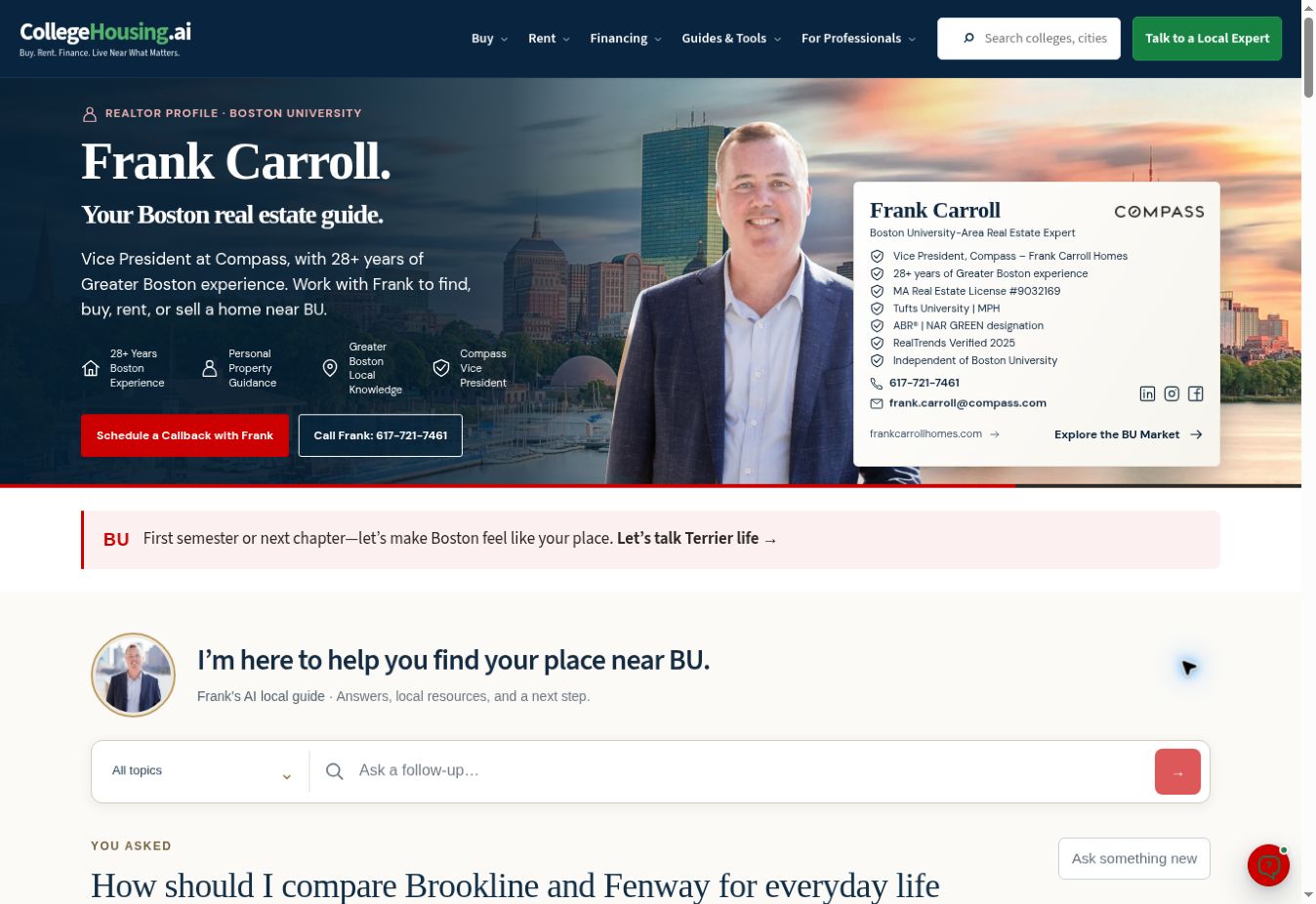
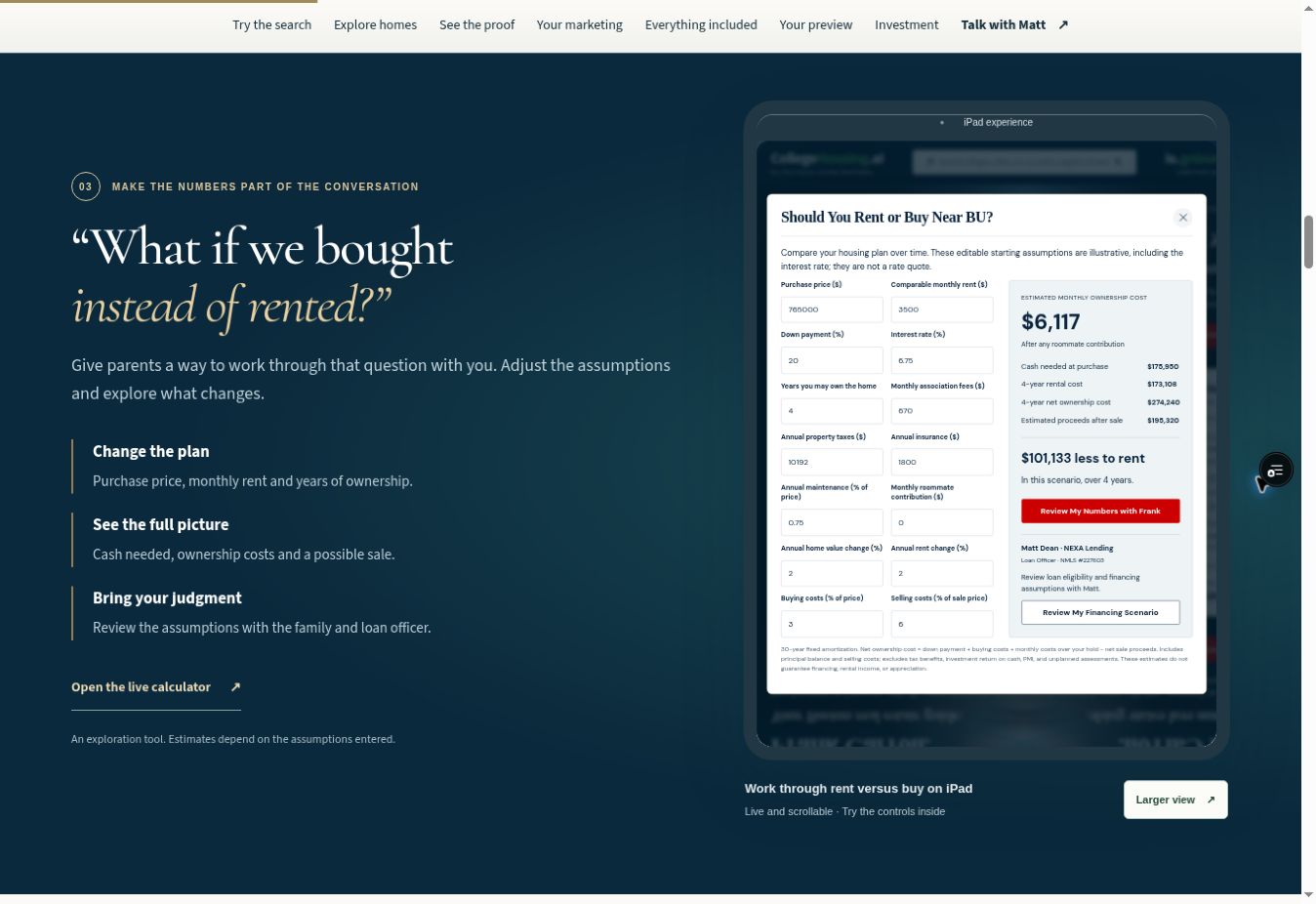
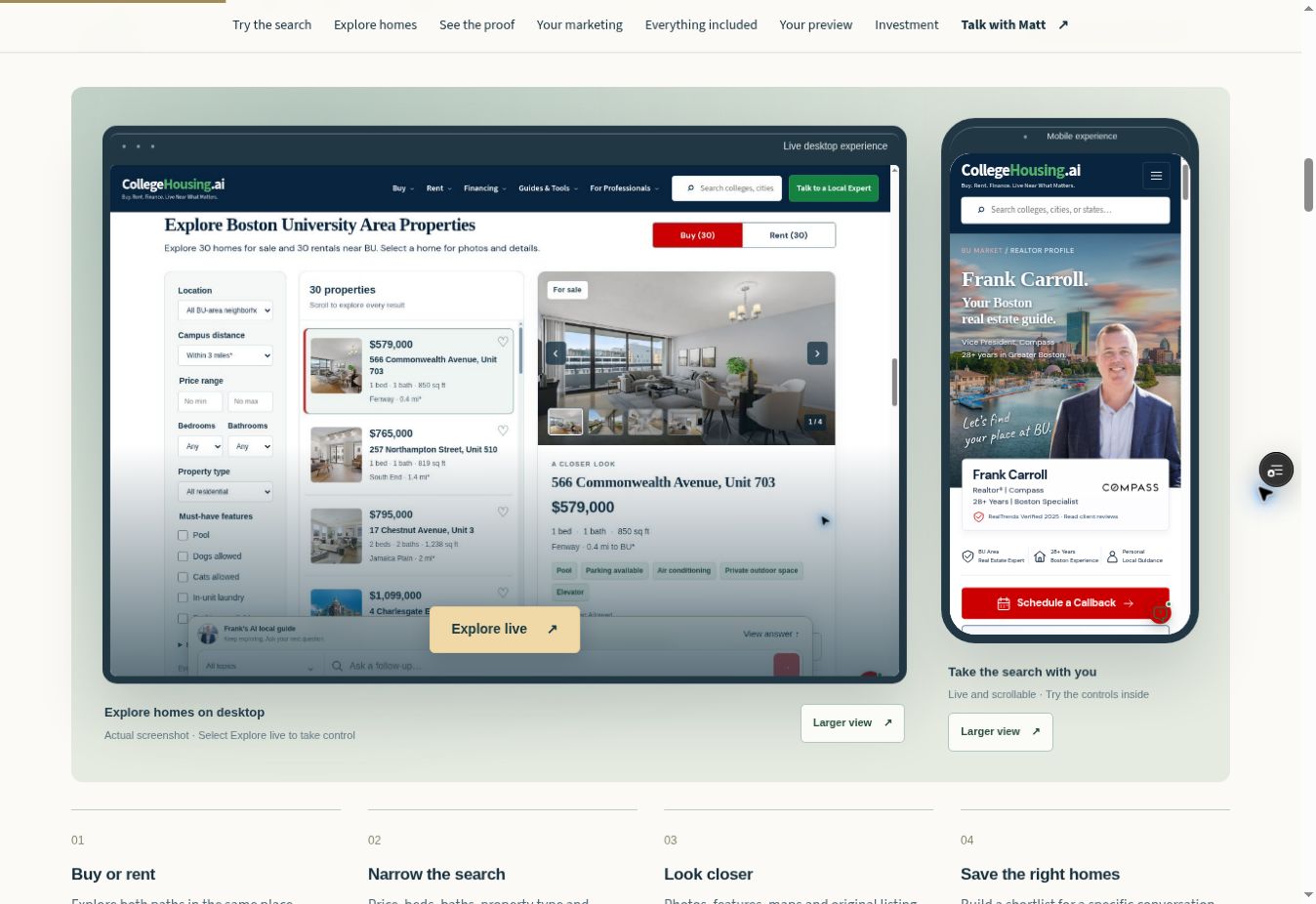
You can show the product live. The prospect sees a college-specific position, their professional identity inside the client journey, useful local content, homes and tools, then a back office that gives the presence something practical to do.
Start with the college they already care about: “Which college markets matter most to your business? Let me show you what CH2 looks like when the professional is built into that market.” Then show the live experience before you talk price.
Work college by college. Identify professionals already serving that campus city and surrounding relocation market, open with the college, demonstrate the live experience, record your introduction, and follow up around the specific position and package.
Under the current CH2 Affiliate Revenue Share Agreement, an affiliate earns 30% of revenue actually collected from each client the affiliate first introduces. It continues for as long as that client keeps paying, with no time limit or commission cap, subject to the signed agreement.
WHAT YOU ARE ACTUALLY SELLING
Do not feature-dump in the pitch. But as the seller, you should know the whole system and be able to open any part of it.
THE PROFESSIONAL BACK OFFICE
Marketing, brand tools, signatures, assets, projects, campaigns, social, connections, help and the office assistant are all part of the product story.
08 / YOUR TOOLS. YOUR WORKSPACE.
Your college market ecosystem gives each campaign a destination. The studio gives it a design. Now bring your signatures, projects, contacts and sharing tools into one workspace. Open any tool below and try it here.
Choose a style · Preview · Copy or export
You already send emails every day. Add your photo, contact details and college site to the signature—or add a college widget below your existing one. Try a different design and see it change.
Identity · Booking link · College destinations
A buyer should see the same name, brokerage and contact details everywhere. Review the identity behind your materials, set your booking link and check where your college links go.
Seven formats · Editing · Review · Export
Need a handout for a parent visit or a short email after a showing? Choose a format, change the headline and message, and see the draft update as you work.
Projects · Creative library · Review checklist
You have ten minutes between appointments. Open your current project, see what is already prepared and pick up the next item that needs your review.
Organize · Attach resources · Track review
An open house needs more than one graphic. Keep the goal, dates, notes and related materials in one project, with a checklist showing what still needs review.
Draft email · Review contacts · Export
Follow up with a relevant group instead of starting a new email from scratch. Prepare the draft and review the audience. Importing private contacts requires sign-in; delivery needs your email provider.
Instagram · Facebook · LinkedIn · TikTok · YouTube
A finished campaign should be easy to take into your channels. Your private workspace keeps connection status, prepared posts, captions and manual sharing guidance together. Account authorization does not activate automatic posting or scheduled delivery.
See connection status · Follow setup steps
Before you plan a send or a post, check what is actually connected. See the status of your booking link, contacts, social accounts, email provider and reporting in one place.
Search a question · Read the steps · Try them
“How do I add this to my email?” Search the task you are trying to finish and open the steps. You can test the help search here without waiting for a support reply.
Ask a question · Find guidance · Take the next step
“Which format should I use at an open house?” Ask the assistant from your workspace and use the answer to choose your next step. This public example searches the help library.
Actual CH2 office examples, captured September 7, 2026. Public demo edits are not saved to a private account. Private records and account connections retain their sign-in requirements. Automatic social publishing and scheduled delivery are inactive. Your written partnership scope confirms access, production support and launch timing.
WHAT DO I SAY?
The pitch should feel like a demonstration, not a lecture.
“Which college markets matter most to your business?”
“Let me show you the experience a parent, buyer or investor can actually use.”
Show the professional profile, contact path, homes, local answers and tools.
Move into marketing and the back office only after the destination has value.
“The current Realtor MPS is $297/month. The complete package with the back office is $354/month.”
“If your college is available, do you want to look at the MPS alone or the complete package?”
HOW DO I GET CLIENTS?
Start with the position and market you want to work.
Target professionals already serving that campus city, nearby neighborhoods and relocation audience.
The market is the reason for the conversation. Do not open with a generic technology pitch.
Open the live client experience, their likely professional presence and the back office.
Use a written record—CRM, email, text, referral form, meeting or appointment—so attribution is clear.
Track the prospect through demo, decision, enrollment and your commission ledger.
The dedicated CH2 sales-partner back office is being built separately around this exact workflow: college availability, prospecting, scripts, demos, follow-ups, agreements, clients and earnings.
HOW MUCH DO I MAKE?
The current affiliate agreement applies the 30% to revenue actually collected from your attributed client, including subscriptions, setup, renewals, added campuses or markets, upgrades, add-ons, price increases and new CH2 products. No operating-expense deduction is taken before calculating the 30%.
Monthly recurring share$531.00
Setup share when collected$450.00
Illustrative first-year share$6,822.00
ASK THE SELLER PLAYBOOK
This answer layer is intentionally grounded in the current CH2 product, Realtor pricing and Affiliate Revenue Share Agreement. If the answer is not approved, it tells you not to guess.
THE NEXT STEP
Matt confirms the seller agreement, approved scope, prospect handoff and operating process before you represent CH2.