
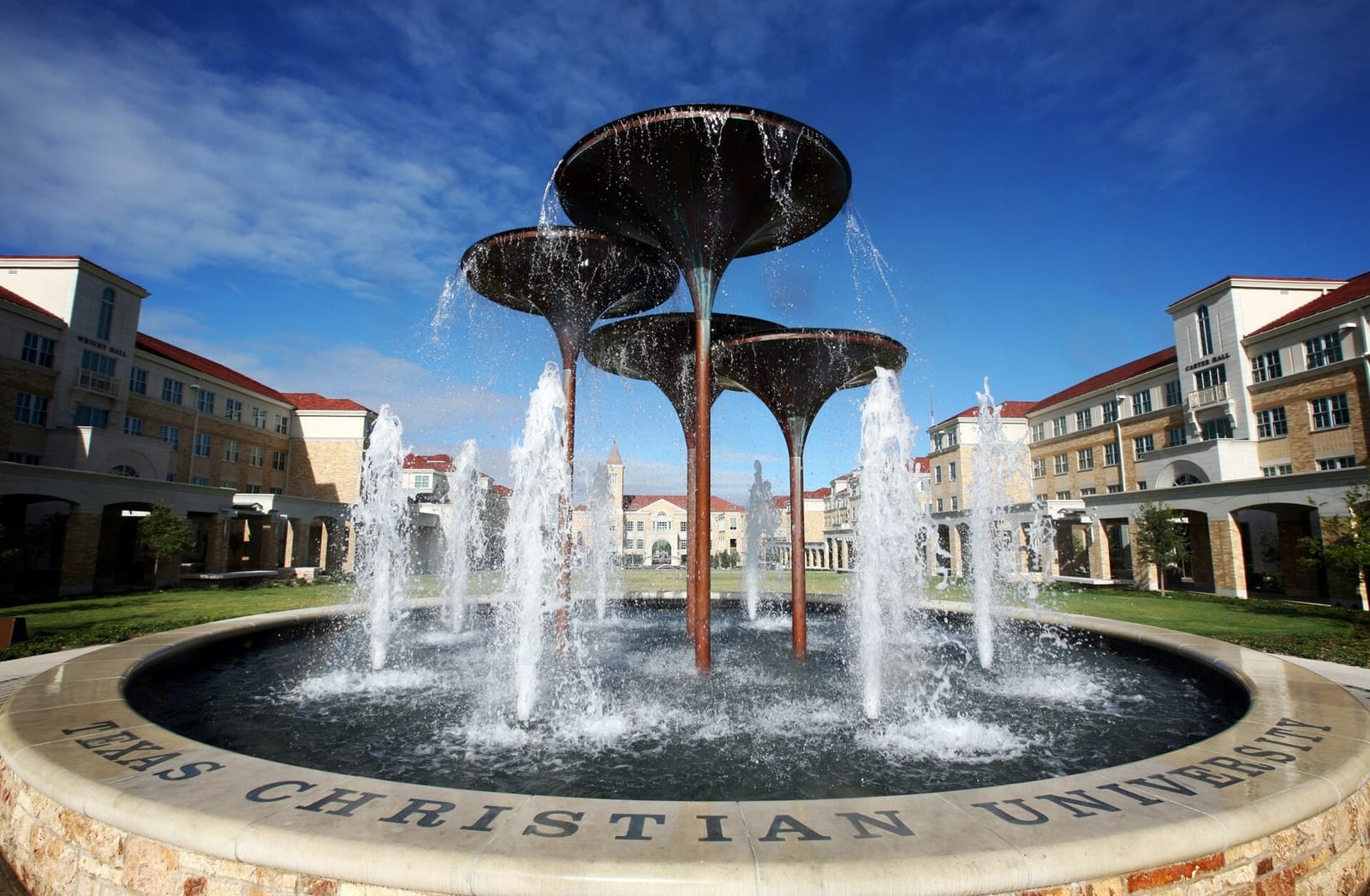
TCU CAMPUS CHEAT SHEET
TCU campus answers for buildings, parking, travel and daily life
Start with your objective, then the question. Campus planning for parents, students, buyers, borrowers, investors, faculty and staff, and owners keeps the same underlying sources.
40 planning answers·10 task groups·verified school domain tcu.edu


CHOOSE YOUR VIEW
Same campus. Different objective.
Pick the reason you are here. Each view moves the most useful campus tasks first and keeps the next housing or planning action visible.Parent / Family
Make arrival, move-in, safety, daily-life and housing decisions easier without losing the next action.
Start with Parent and family visit · Move in and live here · Arrive from out of town
Student / Renter
Solve the daily routine first: where to go, how to get there, what is nearby and how a rental fits the schedule.
Start with Daily student shortcuts · Get around campus · Eat and recharge
Buyer
Judge a home by the exact campus destination, real commute, parking and property-tour sequence before deciding what is worth seeing.
Start with Tour campus or homes · Move in and live here · Park without guessing
Borrower / Financing
Keep the campus and property context attached while moving from a housing choice into monthly-cost and financing review.
Start with Tour campus or homes · Move in and live here · Arrive from out of town
Investor
Evaluate a property around real campus access and student routines without treating proximity as proof of demand, rent or returns.
Start with Tour campus or homes · Get around campus · Move in and live here
Faculty / Staff
Plan the work commute, parking, transit and relocation around the exact campus building and the schedule that matters.
Start with Find a building · Park without guessing · Get around campus
Owner / Seller
Understand how the property connects to campus and daily routines before deciding whether to hold, rent or sell—without guessing value.
Start with Tour campus or homes · Get around campus · Park without guessing
Find a building
How do I find the exact Texas Christian University building I need?
Start with the exact building name rather than the university name alone. Confirm the building or entrance in current Texas Christian University information, then put that exact place in the destination field.
Route targetTexas Christian University, Fort Worth, TX
Where should I start for an admissions or campus visit?
Use the current Texas Christian University admissions or visitor instructions to confirm where your visit begins. A map search can get you close, but the university source should control the actual check-in location.
Route targetTexas Christian University admissions visitor center, Fort Worth, TX
How do I find the main library or a specific library?
Search the exact library name when you know it. If you do not, use the current Texas Christian University library directory first, then route to the specific branch or entrance you need.
Route targetTexas Christian University library, Fort Worth, TX
Where is the student union or main student center?
Confirm the current name of the student union or student center on the Texas Christian University site, then route to that exact destination instead of assuming the campus center point is the entrance.
Route targetTexas Christian University student union, Fort Worth, TX
Park without guessing
Where can a visitor park near Texas Christian University?
Visitor parking rules can change by lot, day, event and permit type. Use current Texas Christian University parking information first; the map destination is only a starting point for route planning.
Route targetTexas Christian University visitor parking, Fort Worth, TX
Where is accessible visitor parking?
Use current Texas Christian University accessibility and parking information to confirm the legal accessible space and the step-free route to the building you need. Do not infer accessibility from a generic map pin.
Route targetTexas Christian University accessible parking, Fort Worth, TX
Where should we park or unload for move-in?
Move-in traffic, unloading zones and temporary rules can differ from normal parking. Confirm the assigned residence and current Texas Christian University move-in instructions before choosing a lot or curb.
Route targetTexas Christian University move-in parking, Fort Worth, TX
Does event or game-day parking change campus access?
Large events can change lot access, permit rules, road closures and towing. Check the current Texas Christian University event or parking notice for the date you are visiting before relying on a normal-day route.
Route targetTexas Christian University event parking, Fort Worth, TX
Get around campus
Does Texas Christian University have a campus shuttle or bus?
Use the current Texas Christian University transportation page to confirm whether a shuttle serves your origin and destination, who may ride it, and the current schedule.
Route targetTexas Christian University shuttle, Fort Worth, TX
Which public-transit stop is closest to the place I need?
Start with the exact campus building, then compare current local-transit stops and walking distance. The closest stop to the university name may not be the closest stop to your building.
Route targetpublic transit near Texas Christian University, Fort Worth, TX
How should I compare walking with transit across campus?
Put the exact start and destination into the live route tool and compare walking with available transit. Campus size, terrain, crossings and service patterns make one campus-wide estimate unreliable.
Route targetTexas Christian University, Fort Worth, TX
What should I check for a late-night trip?
Check current Texas Christian University transportation and safety resources before a late trip. Service hours and access change; do not assume a daytime shuttle or building entrance is available at night.
Route targetTexas Christian University late night transportation, Fort Worth, TX
Eat and recharge
What campus dining is open right now?
Use current Texas Christian University dining hours for university-operated locations. “Open now” changes during breaks, weekends and special schedules, so verify the live listing before walking over.
Route targetTexas Christian University dining, Fort Worth, TX
Where can I get coffee near campus?
Use the map to discover nearby coffee, then check the current location hours before making it part of a class, tour or showing schedule.
Route targetcoffee near Texas Christian University, Fort Worth, TX
Where is a grocery store near campus?
Compare grocery options from the residence or property you actually care about. Distance from the university center can be misleading for a large or multi-campus school.
Route targetgrocery store near Texas Christian University, Fort Worth, TX
Where should I check dietary or meal-plan options?
Use current Texas Christian University dining information for meal-plan acceptance, dietary accommodations and operating hours. Confirm the specific location rather than applying one dining-hall rule campus-wide.
Route targetTexas Christian University dining, Fort Worth, TX
Move in and live here
Where are the Texas Christian University residence halls?
Use the current Texas Christian University housing directory to identify the assigned or relevant residence hall, then route to that exact building. Do not use a generic campus pin for move-in.
Route targetTexas Christian University residence halls, Fort Worth, TX
Where do I check in or pick up residence keys?
Check-in locations and instructions can vary by residence, term and move-in date. Confirm the current Texas Christian University housing instructions before traveling.
Route targetTexas Christian University housing check in, Fort Worth, TX
How do I plan an unloading route for move-in?
Confirm the residence, unloading instructions and temporary traffic rules first. Then build the route to the designated move-in point instead of the campus center.
Route targetTexas Christian University housing move in, Fort Worth, TX
How do I compare an off-campus home route with a residence hall?
Use the exact residence hall and exact off-campus property as separate destinations. Compare the real walking, transit and driving routes at the times that matter to the student’s schedule.
Route targetTexas Christian University, Fort Worth, TX
Arrive from out of town
How do I plan an airport-to-Texas Christian University trip?
Enter the exact airport terminal or pickup point as the origin and the exact campus building as the destination. Verify current airport-ground-transport and local-transit conditions before departure.
Route targetTexas Christian University, Fort Worth, TX
How do I get from my hotel to campus?
Use the exact hotel address and the exact campus building. Compare the live route rather than relying on “near campus” marketing language or a university-center pin.
Route targetTexas Christian University, Fort Worth, TX
How do I get from a train or bus station to campus?
Enter the exact station as the origin and the exact campus building as the destination. Check current local-transit service when the trip depends on a connection.
Route targetTexas Christian University, Fort Worth, TX
Where should a rideshare drop me off?
Confirm the building entrance and any current campus vehicle or drop-off restrictions before choosing the pin. A convenient map point is not automatically an approved curb or loading zone.
Route targetTexas Christian University, Fort Worth, TX
Tour campus or homes
Where should a Texas Christian University campus visit begin?
Confirm the current university visit or admissions check-in point, then use it as the first stop. Add the other campus places in the order you actually plan to see them.
Route targetTexas Christian University admissions, Fort Worth, TX
How do I combine a campus visit with property showings?
Anchor the day to the exact campus place you need, then add each property address in showing order. Compare live travel between every stop so the housing tour reflects the student’s real routine.
Route targetTexas Christian University, Fort Worth, TX
How should I order several property showings near Texas Christian University?
Group showings by their real route to campus and by appointment time, not by listing order. Use exact property addresses privately in the route planner and keep the campus destination fixed for comparison.
Route targetTexas Christian University, Fort Worth, TX
How do I compare a property commute at the time it matters?
Use the exact property and campus destination, then check a live route around the class, work or activity time that matters. A midday estimate can hide a very different peak-period trip.
Route targetTexas Christian University, Fort Worth, TX
Health and safety
Where is student health or the campus clinic?
Use current Texas Christian University health-service information to confirm the correct facility, eligibility, hours and appointment process. Call 911 for an emergency.
Route targetTexas Christian University student health, Fort Worth, TX
How do I find campus police or public safety?
Use the current Texas Christian University police or public-safety source for contact information and service details. Call 911 for an emergency.
Route targetTexas Christian University campus police, Fort Worth, TX
Where is a nearby pharmacy or urgent-care option?
Use the map for nearby discovery, then verify the provider’s current hours and services directly. University health information should control any campus-specific process.
Route targetpharmacy urgent care near Texas Christian University, Fort Worth, TX
How do I plan an accessible campus route?
Use current Texas Christian University accessibility information to identify the correct accessible entrance, elevator or path. Do not infer a step-free route from a standard map alone.
Route targetTexas Christian University accessible entrance, Fort Worth, TX
Daily student shortcuts
Where can I study between classes?
Use the current Texas Christian University library or study-space information to confirm access and hours, then route from the class or building where you will actually start.
Route targetTexas Christian University study spaces, Fort Worth, TX
Where is the recreation or fitness center?
Confirm the current recreation facility name, entrance and eligibility on the Texas Christian University site before routing there.
Route targetTexas Christian University recreation center, Fort Worth, TX
Where do students pick up packages or mail?
Package and mail pickup can depend on the residence or student status. Use current Texas Christian University housing or mail instructions before choosing a pickup destination.
Route targetTexas Christian University mail services, Fort Worth, TX
Where is the bookstore or a place for basic campus supplies?
Confirm the current Texas Christian University bookstore or campus-store location and hours, then route from where you are. Nearby retail can be used as a separate discovery search.
Route targetTexas Christian University bookstore, Fort Worth, TX
Parent and family visit
How should I compare hotels for a Texas Christian University visit?
Compare the hotel’s actual route to the residence, admissions stop or building you will visit. “Near Texas Christian University” is not enough when the campus or surrounding street network is large.
Route targethotels near Texas Christian University, Fort Worth, TX
Where should I meet my student on campus?
Choose a named campus building or approved visitor location that both people can identify, then share the exact map destination. Avoid “main campus” as the only meeting instruction.
Route targetTexas Christian University, Fort Worth, TX
Where can I buy forgotten move-in supplies?
Use nearby retail as discovery, then compare the route from the residence or unloading point. Confirm store hours before inserting the stop into a move-in schedule.
Route targethome supplies near Texas Christian University, Fort Worth, TX
What can we do near campus after the visit?
Use the campus destination as the anchor and discover nearby options after the required visit stops are set. Keep university-operated events separate from general local attractions and verify current hours or tickets.
Route targetthings to do near Texas Christian University, Fort Worth, TX
Planning campus and property stops together?
Use the interactive planner to organize the campus stop and property route, then bring that route into the local professional conversation only when you are ready to discuss a property visit.