Consumers research properties, rent vs. buy, neighborhoods, investing and other school-specific housing questions before they are ready to call a professional.
COLLEGEHOUSING.AI · REALTOR PARTNER PROGRAM
One college market. One featured Realtor.
Become the Realtor people meet inside a college’s housing journey.
CollegeHousing.ai is a school-specific housing experience for parents, buyers, renters and investors. For each available college market, one approved local Realtor is featured across that experience. When a visitor needs local real estate help, the school, housing question and decision context stay connected to that Realtor.
Your professional identity and contact path are connected to the agreed CollegeHousing.ai pages for that market, plus the supporting private operating tools.
This is exclusivity inside the agreed school-specific experience—not ownership of a city, ZIP code, university, search ranking or the wider real estate market.
1Check the collegeSee whether the Realtor seat is open.→2Review it with MattMarket, fit, scope and program investment.→3Approve the written scopeConfirm the pages, routing and launch requirements.→4Go liveYour college-market position becomes the public experience.
No payment to check availability. Frank Carroll’s Boston University experience appears later as a live customer example; it is not your partnership application or scheduling path.
JOIN AN EXCLUSIVE OPPORTUNITY
See if your college market is available.
CollegeHousing.ai partners with one approved real estate professional per school. Enter a college to check whether the market is open and learn how to get started.
◆Exclusive PositionOne featured partner per school.
◎High-Intent AudienceParents, buyers and investors.
▥Long-Term GrowthBuild authority in your college market.
CHECK AVAILABILITY
Find your college
Search by college name, city, state or abbreviation to see whether the Realtor position is open.
OR BROWSE POPULAR MARKETS

REALTOR PARTNER MARKET REVIEW · 25 MINUTES
Talk with Matt about the Realtor position—not a buyer or seller appointment.
This is the partnership calendar. Choose a date and time for a private review of the college market, the live consumer experience, qualification, program investment, written scope and launch path.
 Matt DeanCollegeHousing.ai Realtor Partner market review
- Current college-market availability
- Exactly where the Realtor appears
- Exclusivity, qualification and written scope
- Program investment and launch requirements
25 minutesRealtor Partner reviewPrivateNo obligation
REALTOR PARTNER CALENDARMatt Dean · CollegeHousing.ai
Market availability · fit · scope · launchLoading Matt’s live availability…
THEN SEE THE PRODUCT YOUR CLIENTS USE
From here down, the Boston University material is proof of the consumer experience—not a different path you need to follow.
Frank Carroll is the live BU example. The property pages, answers and professional routing show what an approved Realtor position looks like in market. Your partner path remains: check availability → review the market with Matt → approve the written scope → launch.
Lock out competing Realtor placements inside the CollegeHousing.ai journey with a digital tollbooth across — current Boston University search destinations—where parent, buyer, renter, and investor research
stays connected to the featured Realtor.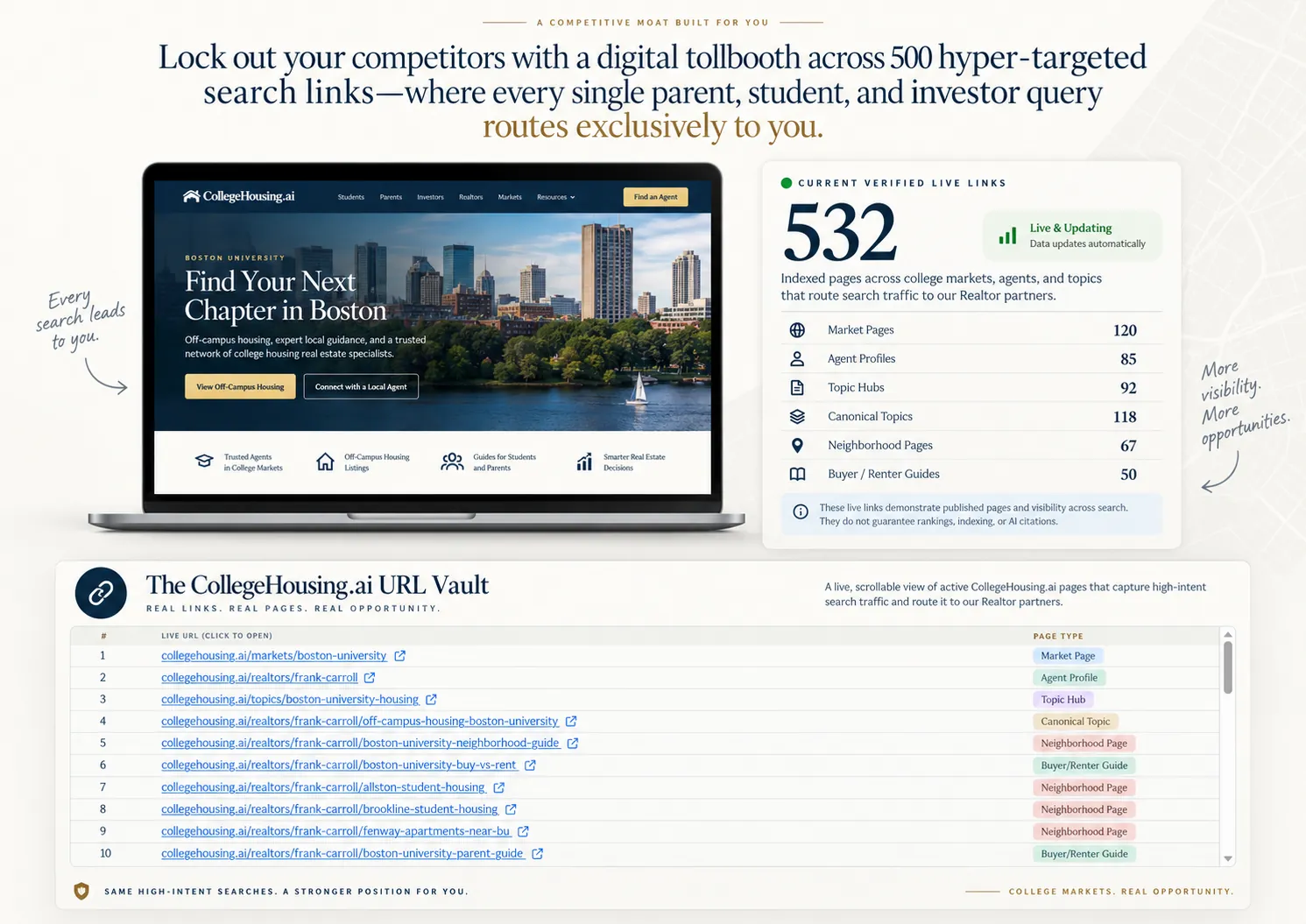
Your College-Market Answer Engine
THE URL VAULT · EVERY LIVE DESTINATION
See the housing decisions these pages help answer, who they help, and every full URL. Open any page to explore its content and the path to local guidance.
Loading the complete URL inventory · Scroll to explore every destination. Each row opens beside this page. Close the preview to return to your place.
#CLIENT QUESTION / TOPICLIVE URL — CLICK TO OPENWHO IT HELPSPAGE TYPEEXPLORE
Loading current routes…
LIVE CUSTOMER EXPERIENCE · BOSTON UNIVERSITY EXAMPLE
This is what the consumer sees. Your Realtor Partner path stays separate.
Frank Carroll is shown here only as a working example of an approved college-market position: the school-specific experience carries a visitor toward the local professional when help is needed.
CollegeHousing.ai · Boston University
Customer demo: Frank’s BU contact buttons are for BU housing visitors. They are not the Realtor Partner application or calendar. Your own photo, brokerage and contact details identify your approved college position. Open Frank’s full customer-facing profile
ON YOUR WEBSITE · WORKFLOW PREVIEW
Your inbox / supported CRM
- Campus
- The selected school
- Question
- Parent purchase vs. renting
- Request
- A conversation with you
The question and campus travel with the inquiry.
Illustrative handoff. Widget placement and CRM delivery are confirmed and tested during setup.
ZILLOW VS. A SCHOOL-SPECIFIC POSITION
Different model. Different place in the client journey.
Zillow Premier Agent is a ZIP-code advertising product. CollegeHousing.ai is built around a university market and the housing decisions that happen before a visitor asks to speak with a Realtor.
| Compare | Zillow Premier Agent | CollegeHousing.ai |
|---|---|---|
| Territory | ZIP-code advertising. Agents choose the ZIP codes where they want exposure. | A defined CollegeHousing.ai school market and the housing journey attached to that school. |
| Exclusivity | Budget determines share of voice in selected ZIP codes, and other advertisers can buy exposure in the same geography. | One school. One featured Realtor position. One approved Realtor or team holds the featured school-specific seat, subject to written scope. |
| Decision stage | Connections are routed when a shopper requests an agent, tour, or other direct help. | Presence begins earlier—while parents, buyers, renters and investors are still researching the school market and comparing housing decisions. |
| Model | Paid advertising exposure and lead connections tied to share of voice. | A school-specific public presence, decision content, professional routing, and private operating tools. |
A competitive moat—not a monopoly claim.
The featured CollegeHousing.ai seat is exclusive inside the agreed school-specific experience. It is not ownership of the university, city, ZIP code, wider real estate market, or search rankings. Zillow product details can change; this comparison uses Zillow’s public Premier Agent materials checked September 30, 2026.
ONEfeatured Realtor per available college market
EARLYpresence while parents, buyers, renters and investors are still researching
CONNECTEDpublic housing experience plus professional routing and private operating tools
HOW A COLLEGEHOUSING.AI VISITOR REACHES YOU
The consumer starts with a housing decision. The Realtor enters when local help matters.
This is the customer journey your featured position sits inside. Families and investors do not have to begin with an agent directory or a generic lead form.
Housing research comes first.
“What can I buy within walking distance of BU?”
“Should I rent or buy for four years?”
“What would the monthly payment look like?”
The visitor gets a school-specific decision path.
LIVE BU CUSTOMER EXAMPLERent vs. Own near BU
View the consumer comparison Compare four-year housing cost, potential equity, financing, and exit scenarios in one place.
Your role is connected to the decision—not bolted on afterward.

We use AI to route intent, not replace professionals.The school, question and decision context carry forward when the consumer chooses to speak with someone.
WHAT THE FEATURED REALTOR RECEIVES
A college-market position, not just another agent profile.
The public experience and the private operating tools work together. The live property device below is part of the actual Boston University example.
School-specific professional presence
A named Realtor position tied to one CollegeHousing.ai college market, subject to written scope and approval.
Property and housing decision journey
Homes, rent-versus-buy, neighborhood context and other school-aware decision paths remain connected to the same market.
Contextual professional routing
When a visitor needs licensed local judgment, the experience provides a direct route to the featured professional with the college context intact. We use AI to route intent, not replace professionals.
Private marketing and follow-up workspace
Supporting tools help the professional carry the college-market position into signatures, creative, projects, social sharing and follow-up.
/markets/boston-university/properties
Boston University live property experienceLive and scrollable · Try the controls inside
LIVE CLIENT DECISION PATHS
Show the housing decisions your college-market position actually serves.
These are working Boston University destinations behind the live example—not marketing placeholders. Parents and investors keep the school and decision context as they move toward the right professional.
PROPERTY EXPLORATION
Buy / Invest / Rent workspace
Browse the canonical BU property workspace and carry the selected decision forward.
Open properties PARENT DECISIONBuy for my student
Help out-of-town parents understand the ownership decision around a student’s college experience.
Open parent journey INVESTOR DECISIONNear-campus investing
Explore the investor path without turning general information into individualized professional advice.
Open investor journey LOCAL INTELLIGENCENeighborhoods & daily life
Connect housing to location, commute and the practical questions that shape a near-campus decision.
Open BU guides DECISION TOOLCompare rent vs buy
Move from a broad housing question toward a structured comparison while keeping the school context.
Open comparison FINANCING HANDOFFPlan the financing conversation
Keep financing connected to the housing decision and route it to the appropriate professional when needed.
Open financingA DEFINED POSITION ON COLLEGEHOUSING.AI
One school. One featured Realtor seat.
If your market is approved, another Realtor does not occupy the same featured school position inside CollegeHousing.ai. Your position, covered pages and routing are confirmed in writing.
Your Realtor position.
One approved Realtor or team represents the school’s featured real estate position.
A separate financing role.
Loan Officer coverage is checked independently. An open Realtor seat does not mean financing is open.
Clear boundaries.
The position covers the agreed CollegeHousing.ai placement. It is not ownership of the university, city, ZIP code, or search rankings.
“Zero Competition” applies to the featured CollegeHousing.ai Realtor seat—not the wider real estate market.
Review my market with MattFAQ
The purchase questions a serious Realtor should ask.
What does “exclusive” mean in practice?+
CollegeHousing.ai features one Realtor for an eligible college market at a time, subject to current availability, qualifications, written scope and approval. The position applies to the school-specific CollegeHousing.ai experience; it is not ownership of a city, ZIP code, county or search-engine ranking.
How is a college market defined?+
The market is the selected CollegeHousing.ai school market and the public housing experience attached to that school. Nearby supporting schools may be shown when they meet the current same-city or verified five-mile rule, but they do not automatically become part of the featured position.
Who is the audience?+
The experience is built for parents, out-of-town families, buyers, renters and investors researching housing around a college community.
What do I receive as the featured Realtor?+
The written scope can include your professional presence across the school-specific housing journey, property and decision pages, contextual routing to you when professional help is needed, and access to the private Realtor operating tools shown on this page.
Do you guarantee leads, traffic, rankings or closings?+
No. CollegeHousing.ai does not guarantee search rankings, traffic, inquiries, appointments or transactions. The program creates a defined school-specific position and consumer journey; performance still depends on market demand, distribution, follow-up and other factors.
Will my inquiry be offered to competing agents?+
The featured CollegeHousing.ai Realtor position is held by one approved professional or team for that school. Housing inquiries follow the selected school and professional context. Financing is a separate professional role. Your written scope confirms routing, covered pages and any exceptions before launch.
Can the search widget send inquiries to my CRM?+
We review the widget placement, your destination inbox and supported CRM connection during setup. Delivery must be tested before launch. The workflow preview shows the intended handoff; it does not promise compatibility with every CRM.
How are consumer inquiries routed?+
Relevant CollegeHousing.ai pages keep the selected school and housing context connected to the featured professional so a visitor who needs local judgment has a direct path to a Realtor instead of restarting with a generic lead desk.
Is this just another agent directory?+
No. The offer is a school-specific public housing experience plus a named professional position and supporting operating tools. It is not a page where many agents compete side by side for the same college position.
How is this different from buying ZIP codes on Zillow or Realtor.com?+
Zillow Premier Agent advertising is sold by ZIP code, and its public materials describe share-of-voice competition among advertisers. Realtor.com offers buyer-lead and closed-transaction products. CollegeHousing.ai is organized around a university market and its housing decision journey. One approved local professional or team holds the featured school-specific position, subject to availability and written scope, rather than buying a shared portal placement. CollegeHousing.ai program investment is separate from your transaction commission; the current featured-position model does not take a referral percentage at closing. Portal products and pricing can change, so compare current vendor terms directly.
What does the program cost?+
Program investment is reviewed during the market conversation because availability, scope and launch requirements vary by market. There is no payment simply to check availability.
How do agreements, renewals and cancellation work?+
Those terms are defined in the written agreement for the approved market. The page does not create a reservation or binding territory by itself.
How are Realtors reviewed?+
The team reviews market fit and professional qualifications before approval, including the information required for the written partnership scope.
Can teams or brokerages participate?+
The written scope determines the featured professional identity, brokerage attribution and operating responsibilities for the selected market.
INCLUDED OPERATING TOOLS
See the private workspace behind the public position.
These tools support the partnership; they are not the reason to buy it. Open this section when you want to inspect them.
Explore tools +
INCLUDED OPERATING TOOLS
See the private workspace behind the public position.
These tools support the partnership; they are not the reason to buy it. Open this section when you want to inspect them.
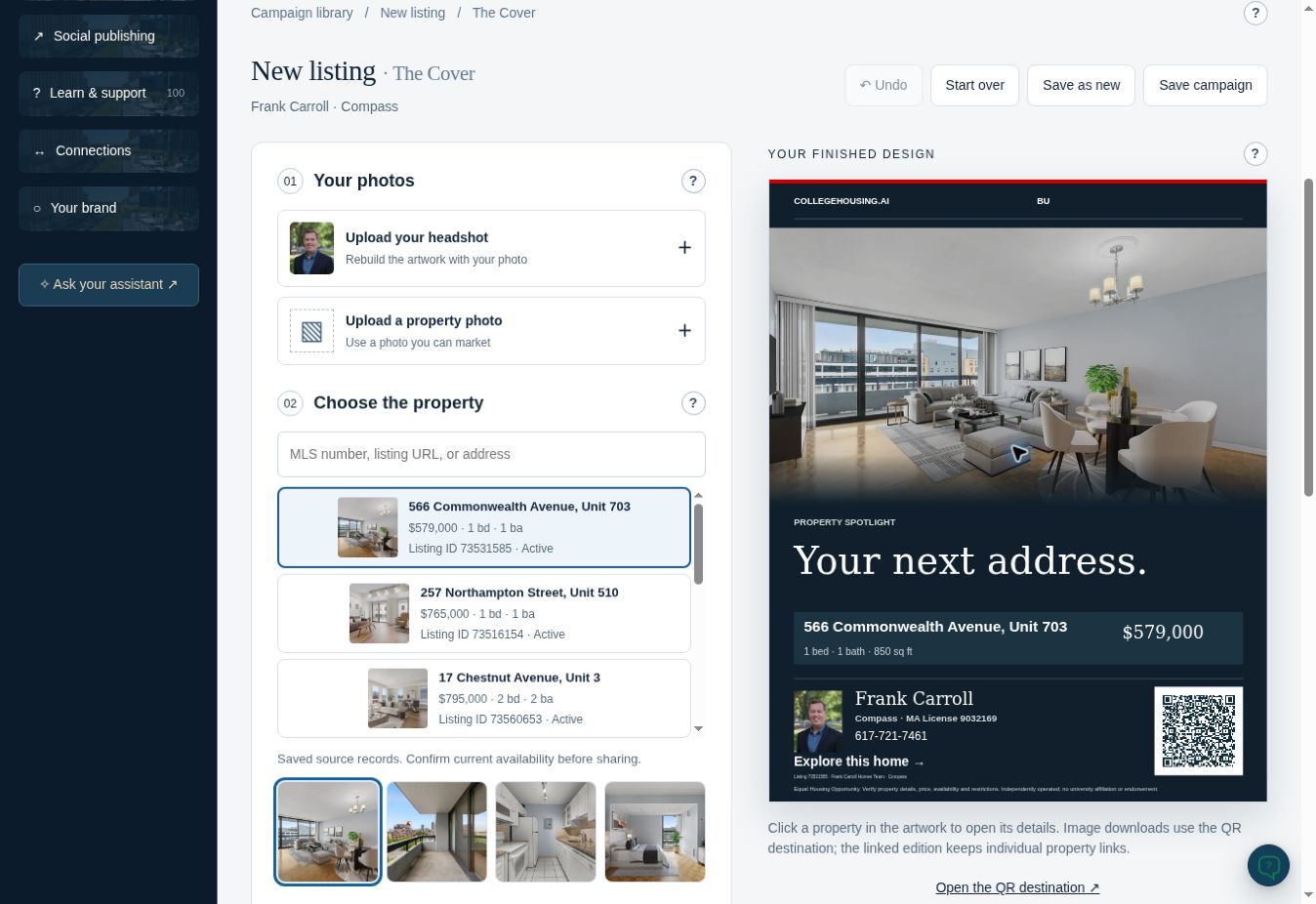
01Create & publish
Marketing Studio
Build school-aware campaigns and property creative inside the existing Realtor office preview.
Open tool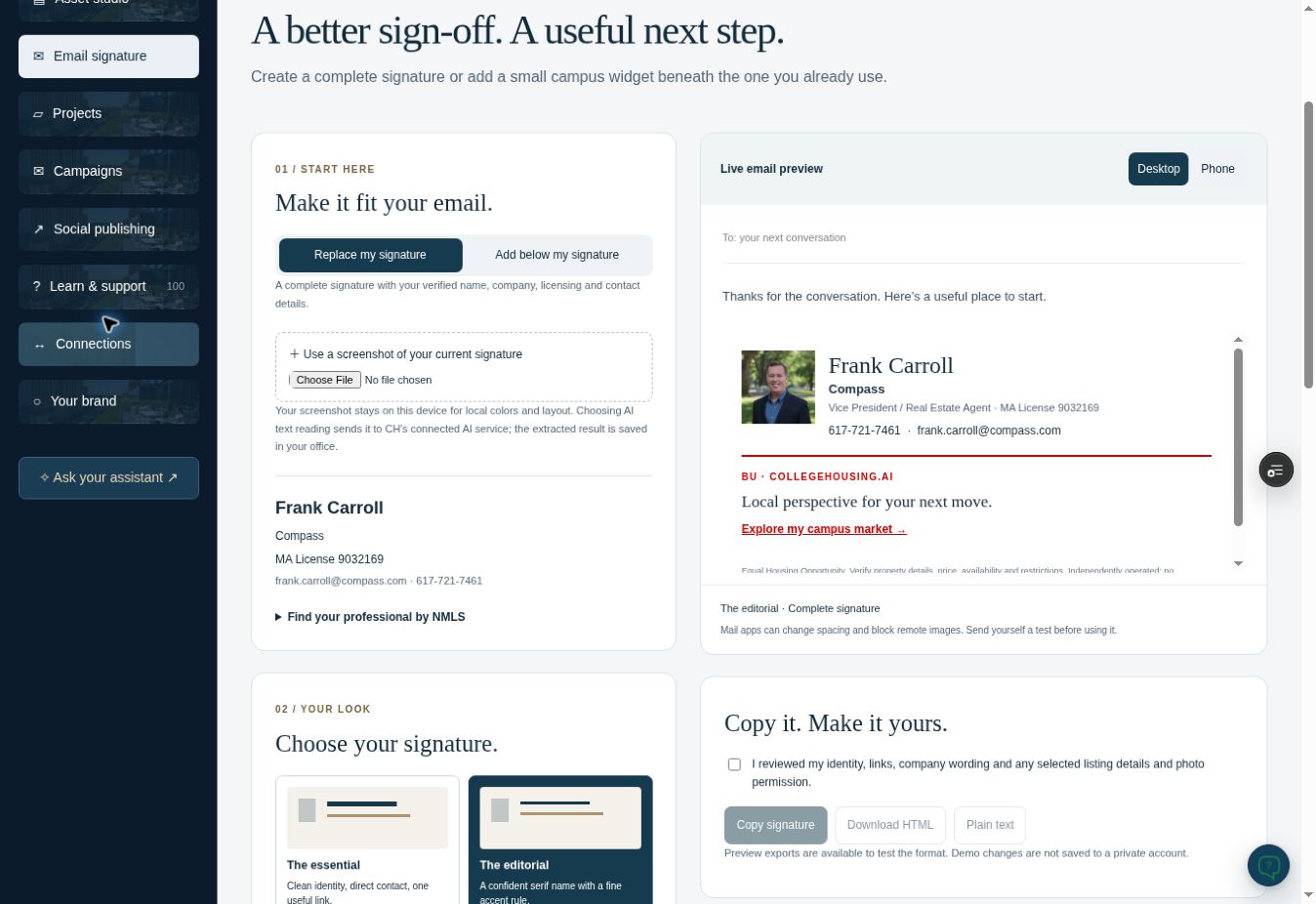
02Daily distribution
Email Signature
Preview the existing email-signature builder with your professional identity and college destinations.
Open tool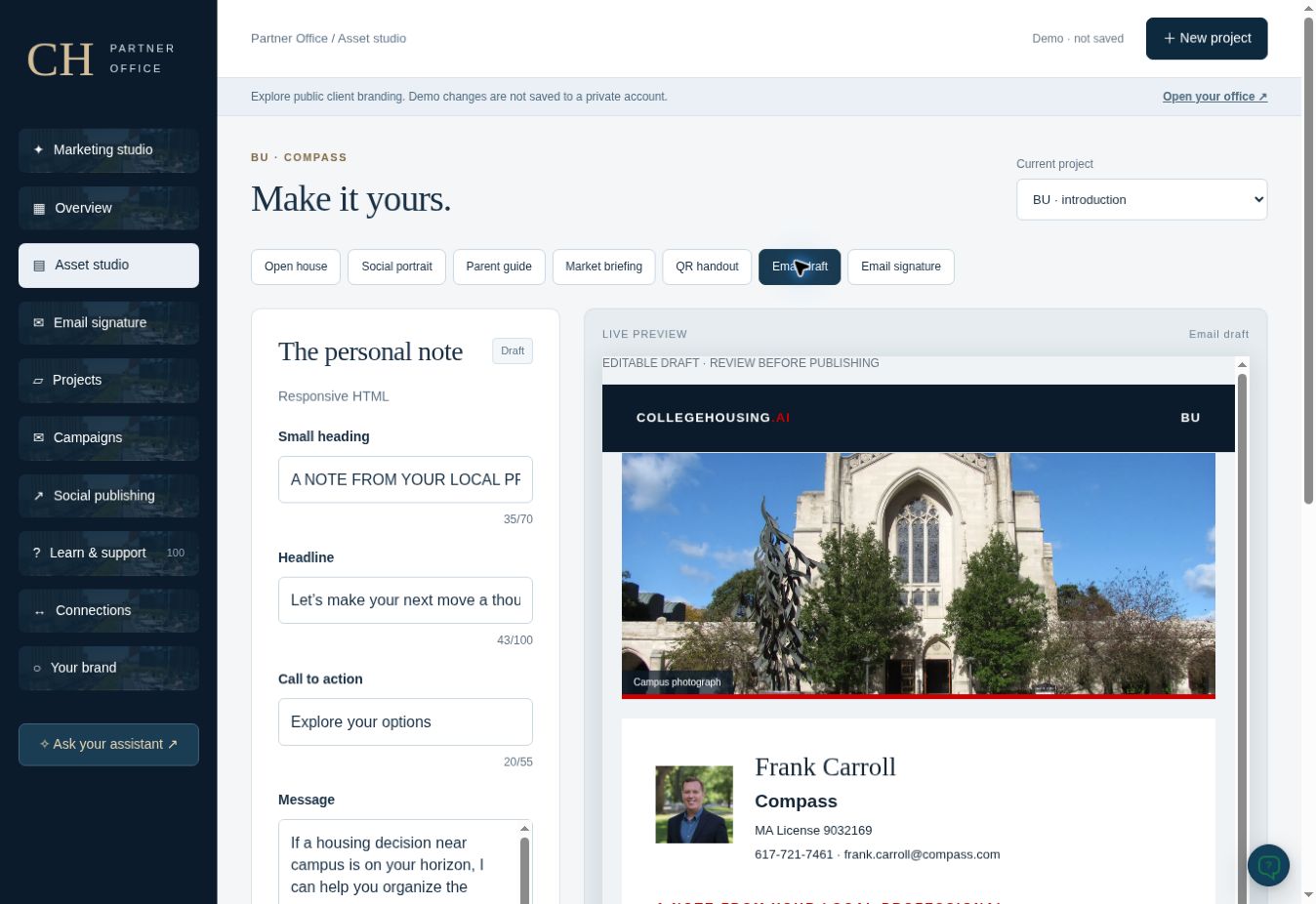
03Creative suite
Flyers & Email
Open the existing creative editor for flyers, handouts, email and campaign assets.
Open tool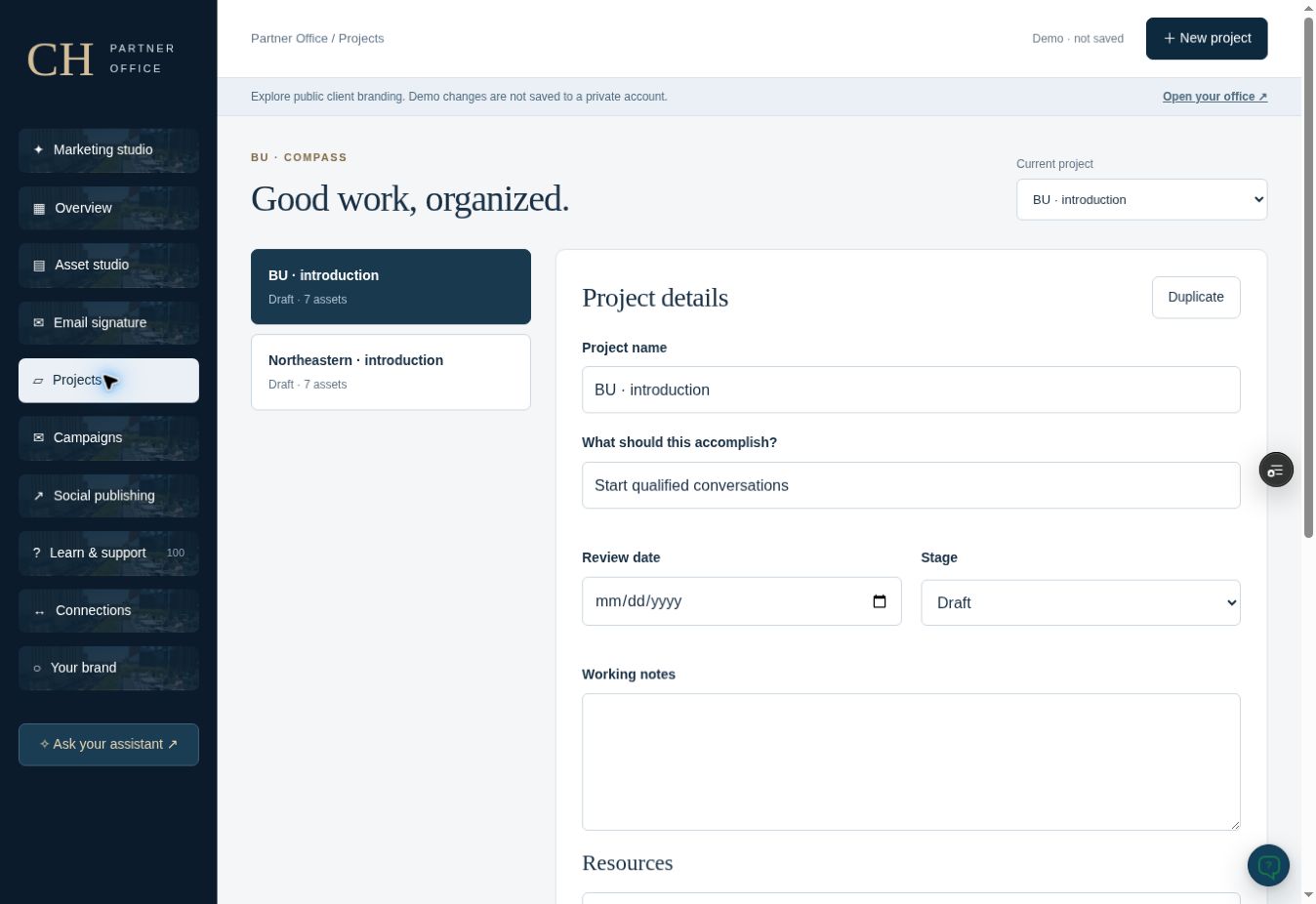
04Organize work
Projects & Review
Keep goals, dates, notes, assets and review steps together in the existing project workspace.
Open tool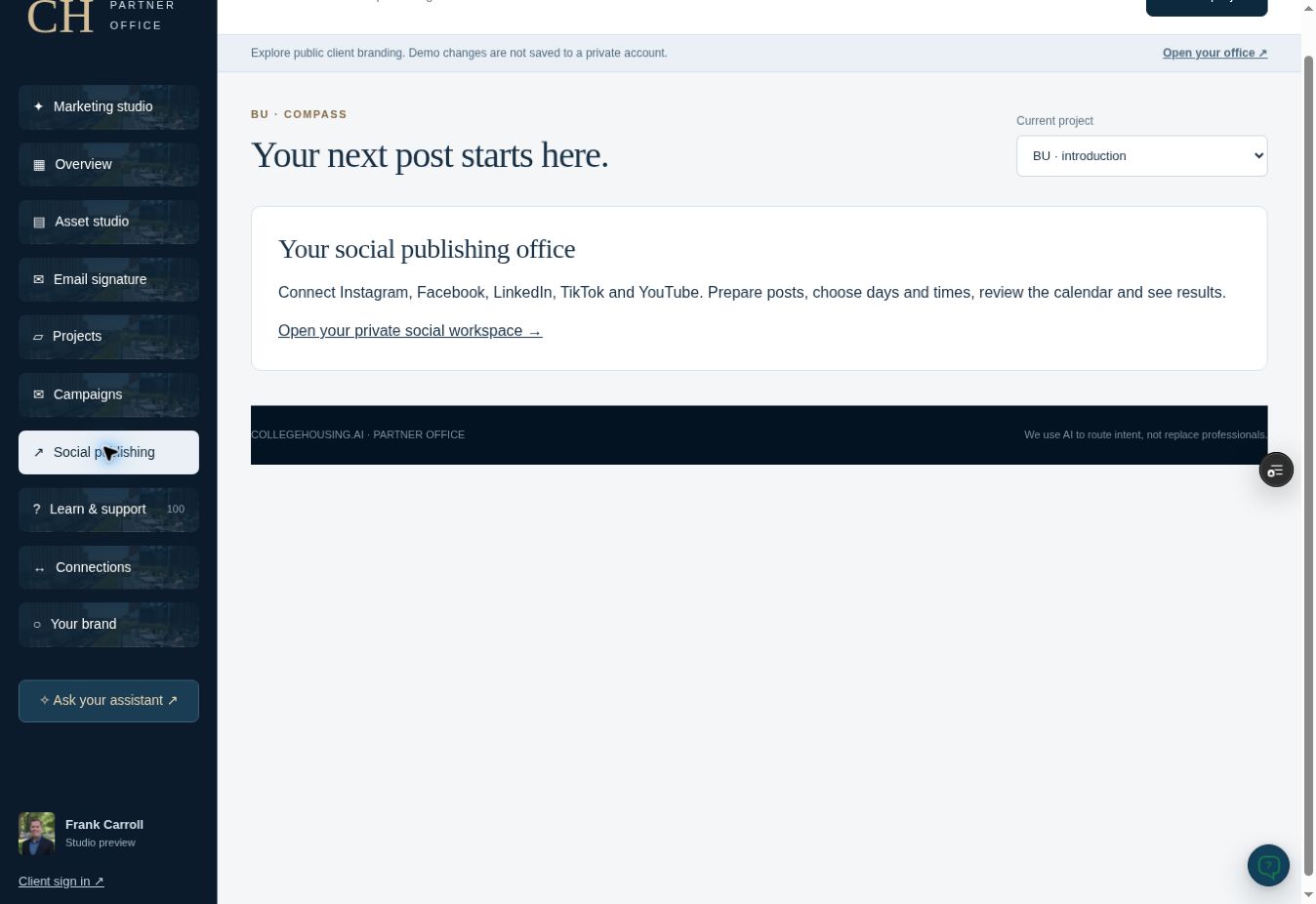
05Social workspace
Social Sharing
Use the existing social workspace for prepared posts, captions, connection status and manual sharing guidance.
Open tool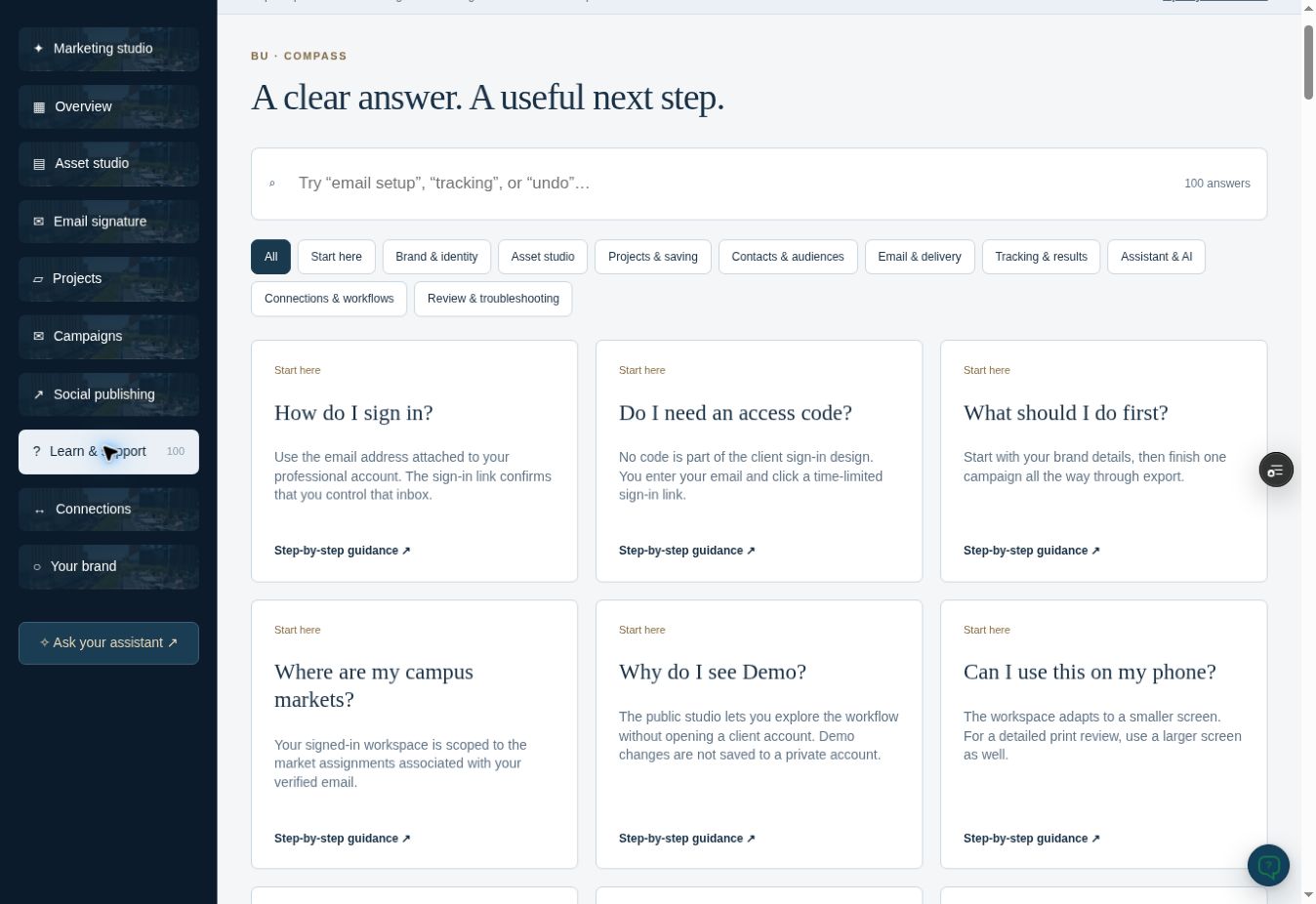
06100 answers
Learn & Support
Search the existing help library and open step-by-step guidance from the Realtor office.
Open tool/campus-partners/realtor-command-center
CollegeHousing.ai Realtor Marketing StudioLive and scrollable · Try the controls inside